


Bold Touchscreen
Orders are clearly displayed on high-visibility screens, keeping lines ordered and cooking crews perfectly synced.
A reliable kitchen display system is essential for improving communication between front-of-house and kitchen staff. Pecan POS KDS replaces traditional paper tickets with digital order management, helping kitchens operate more efficiently and accurately.

PRODUCT HIGHLIGHTS
Digitize ticket queues, keep your staff organized, and ensure a seamless flow during peak rush times with dedicated kitchen terminals.
Orders are clearly displayed on high-visibility screens, keeping lines ordered and cooking crews perfectly synced.

Replace physical tickets that get lost, grease-stained, or misfiled. Maintain structured, digital order queues.

Splash-resistant, industrial-grade hardware built to withstand steam, humidity, and kitchen heat.
THE KITCHEN FLOW
Experience how digital synchronization coordinates point-of-sale entries with back-of-house preparation in seconds.
Customer order is inputted on the primary Pecan POS register terminal, self-service kiosk or mobile device.
Order items and custom modifiers route digitally to KDS screens with zero ticket delay.
Kitchen staff views color-coded ticket timers to coordinate items and maintain strict timelines.
Hardware Options
Set up your KDS to fit your restaurant’s workflow with three flexible configurations: Kitchen-Facing, Customer-Facing, or Expo Station.
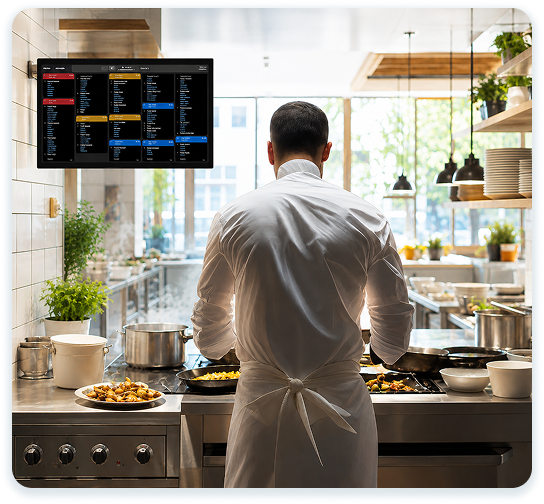
A kitchen-facing KDS keeps orders clearly displayed for kitchen staff, helping streamline communication, improve accuracy, and keep food preparation moving efficiently.
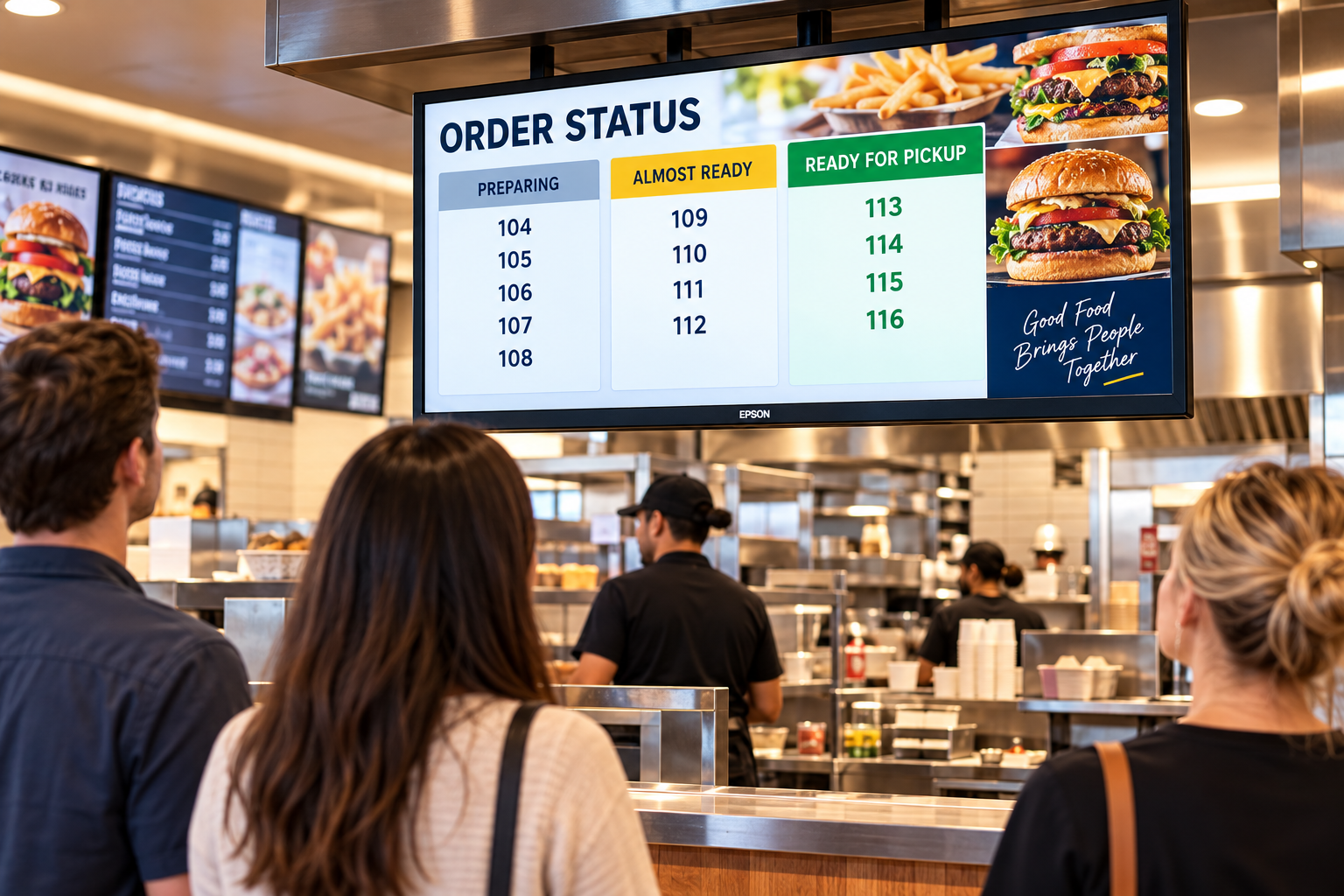
A customer-facing KDS keeps guests informed with real-time order status updates, making it easy to see when their order is being prepared and when it’s ready for pickup.
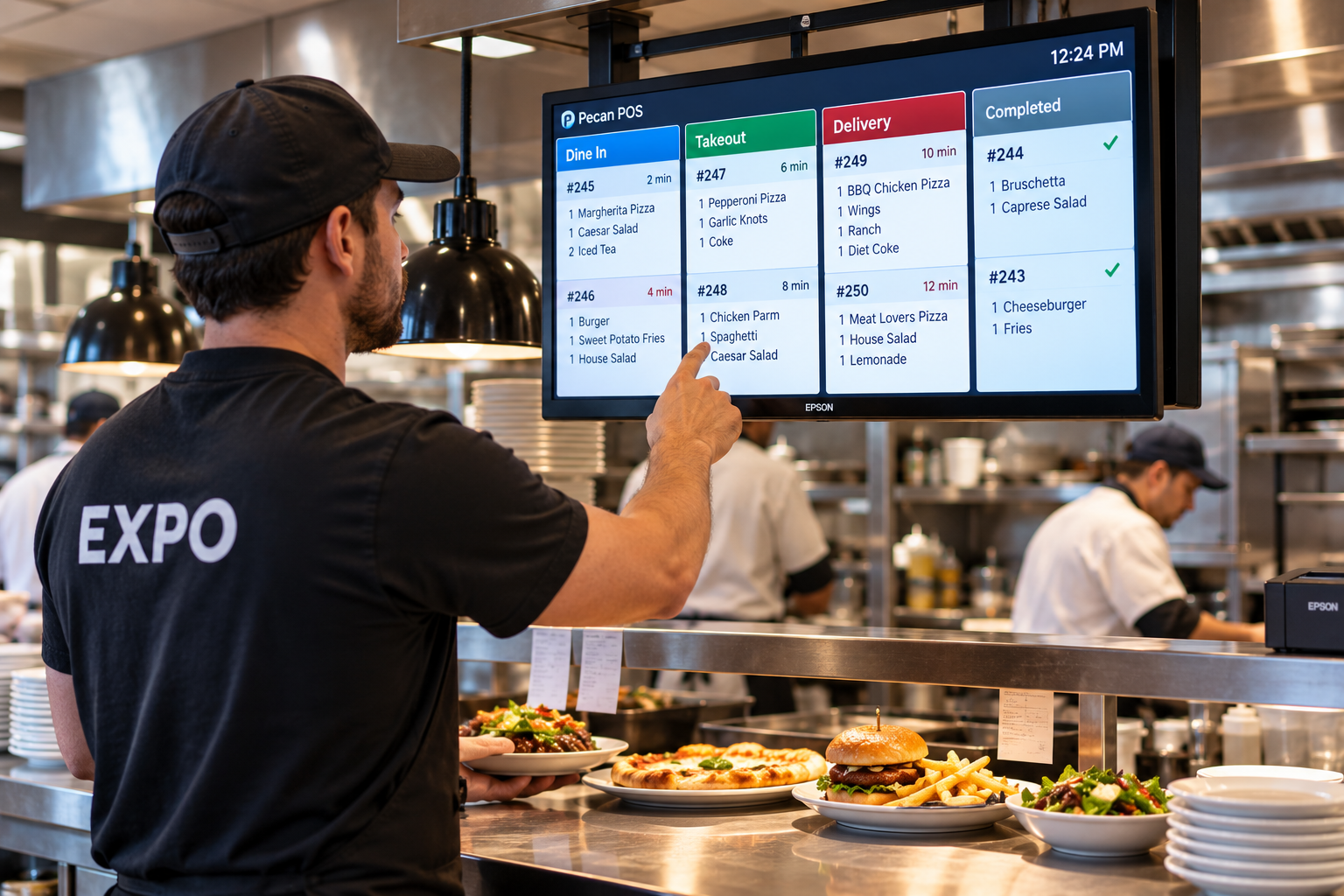
An expo-facing KDS gives the expeditor a clear view of order progress, helping coordinate the kitchen, organize completed dishes, and ensure orders are accurate before reaching the guest.
