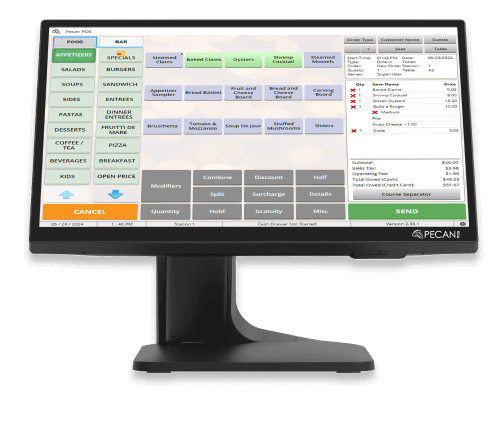
Simplify your accounting by connecting Pecan POS directly with
QuickBooks Online. Automatically sync your sales, payments,
taxes, tips, discounts, and other financial data, eliminating
the need for manual data entry and reducing the risk of costly
errors. Keep your books accurate and up to date while saving
valuable time on daily bookkeeping.
Whether you operate a single restaurant or manage multiple
locations, the Pecan POS and QuickBooks Online integration
helps streamline your financial workflow. With reliable data
synchronization, you'll gain better visibility into your
business performance, simplify reconciliation, and spend less
time on accounting—so you can focus on delivering exceptional
service and growing your business.
*QuickBooks Online Subscription required
How it works
Connecting Pecan POS with QuickBooks Online is quick and easy.
Once the integration is enabled, Pecan automatically transfers
your daily sales data—including payments, taxes, tips,
discounts, and other transaction details—to your QuickBooks
Online account. The data is organized and ready for
reconciliation, helping you maintain accurate financial
records without manual entry. Simply review your information
in QuickBooks Online and continue managing your business with
confidence.
How QuickBooks Online Integration Looks
Why choose QuickBooks Online
Automate bookkeeping tasks and eliminate manual data entry.
Reduce human errors with automatic synchronization of sales and financial data.
Access real-time financial reports and insights to make informed business decisions.
Manage accounting easily whether you operate one restaurant or multiple locations.
Get A Demo
For a demo or pricing information please fill out the submission
form and we will get back to you.
By submitting this form, you agree to receive calls from Pecan POS at the number provided regarding your inquiry, updates, and promotions.
See our Privacy Policy for details on how we use your information.